Structural steel / Actual drawing example
Steel-awning detailing and 3D model.
An anonymised 3D view from a steel-awning detailing package, showing the framing arrangement of beams, purlins and bridging as modelled for the issued-for-approval drawings.
Discuss your steel detailing requirements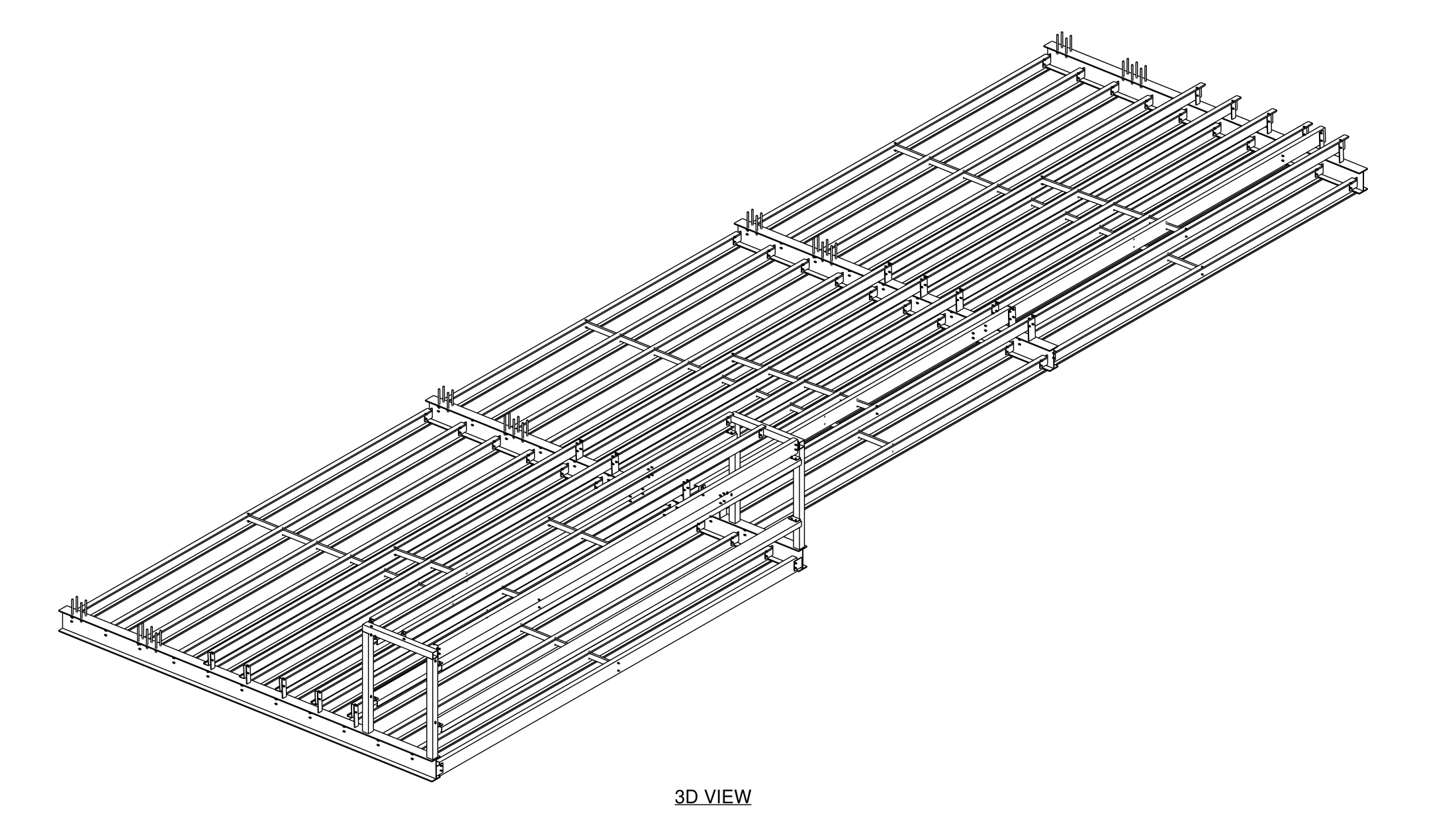
Drawing scope
From the 3D model to the approval package.
The awning was modelled in 3D and documented as a drawing package issued for approval. The 3D view gives the project team a quick reference for the framing layout: the main beams, the purlin runs between them, bridging between purlins and the anchor rods at the supports.
Alongside the general-arrangement drawings, the package included assembly drawings for each beam, purlin, bridging member and anchor rod, with assembly, part, bolt and material lists and an IFC model export for coordination.
What this example demonstrates
- Steel framing modelled in 3D.
- A 3D arrangement view to support review of the general-arrangement drawings.
- A complete package structure: arrangement, assembly drawings, reports and model exports.
Only the 3D view is shown. Client and project title blocks have been removed, and the original PDFs, DWG and IFC files are not offered for download.
This is a documentation example, not confirmation of engineering approval, fabrication status or construction completion.
Briefing a similar awning or canopy project
Share the approved structural design, setout information and the drawing outputs your fabricator needs. SolidCAD can review the detailing scope and prepare a tailored quotation.
3D awning arrangement
View enlarged drawing